WhatsApp Status Saver
Free WhatsApp Status Downloader — Save Status Photos & Videos in One Click
This free WhatsApp Status downloader lets you save photos and videos from the WhatsApp Web Status tab. One-click or batch save, original quality, 100% local and private — no login required.
- 100% Free
- No Login · Private
- Just 3 Permissions
Overview
What Is the Free WhatsApp Status Downloader?
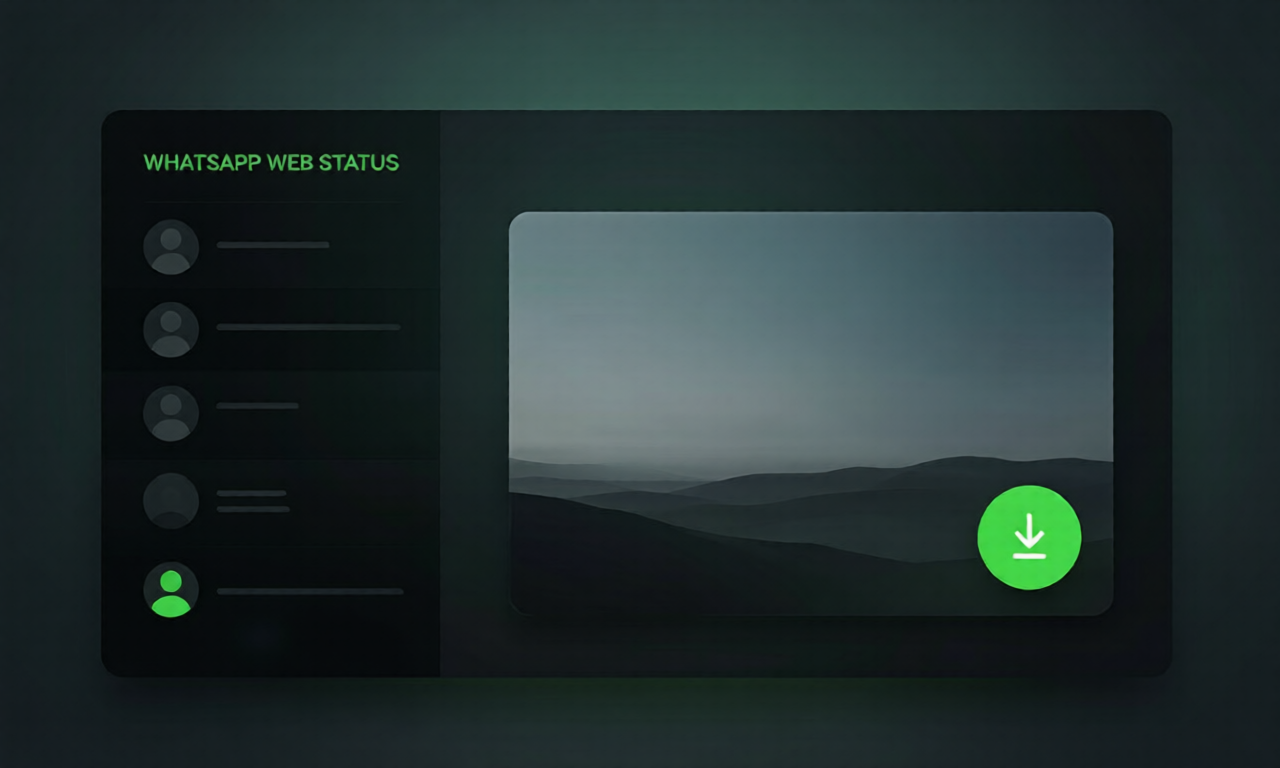
This is a free WhatsApp Status downloader built into Synivo's product matrix, running as a lightweight Chrome extension. Instead of copy-pasting links or using third-party sites, it works right inside the WhatsApp Web Status tab — automatically detecting photos and videos so you can save them in one click or batch. No login required, no server uploads, all local.
Important: it saves Status updates (the photos and videos your contacts share for 24 hours) — it does NOT download private chat messages. Whether you want to keep a friend's disappearing status, back up your own, or collect inspiration, Synivo handles it inside your browser and saves files locally in original quality. It's the safest way to keep WhatsApp Status without leaving the web app.
Core Features
Six Core Advantages for the Ultimate Experience
This WhatsApp Status downloader is built for the WhatsApp Web Status tab — auto-detecting friends' photos and videos so you can save them in one click. Safe, local, and completely free.
One-Click Status Scan
Open the Status tab and click scan — the extension instantly collects every visible photo and video status update in one pass.
Single & Batch Download
Save one status you like, or export the entire Status tab in a single batch. Your choice, your pace.
Auto-Traverse Statuses
The extension automatically flips through each status (like pressing the arrow keys), skipping ones you've already viewed — no manual clicking.
Blob Pre-Fetch Keeps Links Alive
Media blobs are fetched and turned into local object URLs up front, so links never die when you switch from one status to the next.
100% Local & Private
Everything runs locally in your browser. Only 3 permissions — activeTab, scripting, storage — no server uploads, no login, no tracking.
Completely Free, No Ads
Unlimited downloads, absolutely no ads, no hidden fees, no registration required.
How It Works
Four Simple Steps to Get Started
From install to your first saved status takes under a minute. No account, completely free Chrome extension.
Install the Extension
Click "Add to Chrome" to install the WhatsApp Status downloader. The icon appears in your toolbar right away.
Open WhatsApp Web Status
Log in to web.whatsapp.com and open the Status tab where your friends' 24-hour updates appear.
Scan & Auto-Traverse
Click scan — the extension walks through each status automatically and shows a download button on every photo and video.
Save Locally
Downloaded status is saved in original quality to your default download folder — yours to keep, fully offline.
Why Choose Us
Why Choose Us?
Built on a "local-first" philosophy — no tracking, no uploads, no reading. The safest, lightest way to save WhatsApp Status.
Local-First Philosophy
All processing happens locally in your browser. No API, no server uploads — your files stay on your own hard drive from start to finish.
Zero Data Tracking
Other tools may track your data or require third-party logins. We collect nothing and require no login whatsoever.
Seamless WhatsApp Web Integration
Works right inside web.whatsapp.com Status tab. The extension adapts to the web interface automatically — no extra setup.
Zero Privacy Intrusion
We don't read your chats or scan conversations. The extension only helps you save status media you actively choose to view.
Zero File Retention
We don't store any of your files. After download, they go straight to your local folder with no trace left on any server.
Safest & Lightest Solution
No extra software needed — one Chrome extension does it all. With just 3 permissions, it's the lightest way to save WhatsApp Status.
Use Cases
Who Uses the WhatsApp Status Downloader?
From friends to family, here's how people save WhatsApp Status with Synivo.
Save Disappearing Status
Keep friends' photo and video status before they disappear after 24 hours.
Backup Your Own Status
Export the status you posted so you never lose a favorite update.
Collect Inspiration
Save creative status posts, quotes and designs as reference material.
Offline Viewing
Keep status videos and photos available without internet on trips or commutes.
Batch Archive
Bulk-save an entire Status tab — family moments, event highlights, group updates.
Family & Group Status
Archive status shared by family and groups before they're gone.
Reviews
What Users Say About Synivo
Real feedback from everyday WhatsApp users, creators and archive-keepers.
I save my favorite status videos before they vanish in 24 hours. One-click save on WhatsApp Web is exactly what I needed.
Batch-saving the whole Status tab used to take forever. Now I export everything my family posted in one session, no login.
Status photos download in original quality, stay on my machine, no watermark — fully local and private.
FAQ
WhatsApp Status Downloader FAQ
Yes. It is 100% free to use. No hidden fees, no subscriptions, no credits — install the Chrome extension and start saving status photos and videos right away.
You use your existing WhatsApp Web session (you must be logged in to web.whatsapp.com). The extension runs alongside it and never collects your credentials — it only detects media on the Status tab you can already see.
No. This tool is for Status updates only — the photos and videos shared on the Status tab. It does not read, access, or download private chat conversations.
No. Synivo's WhatsApp Status downloader is a third-party Chrome extension and is not affiliated with, endorsed by, or sponsored by WhatsApp or Meta. WhatsApp is a trademark of Meta Platforms, Inc.
Yes. The extension detects and saves both status photos and status videos from the WhatsApp Web Status tab in original format.
Yes. Files are saved exactly as shared — photos and videos at original quality, with no compression and no watermark.
Everything runs locally in your browser. The extension needs only 3 permissions (activeTab, scripting, storage), uploads nothing to any server, and requires no login. Your data stays on your device.
The extension works purely as a client-side browser add-on — it reads what your browser already renders and adds a download overlay. It does not modify WhatsApp's code or inject scripts into their servers. Use is at your own discretion and in line with WhatsApp's terms.
Yes. The extension scans the entire Status tab and lets you save every photo and video in one batch, or pick individual ones — your choice.
It is a Chrome extension built on Manifest V3, so it works in Chrome and Chromium-based browsers (Edge, Brave, etc.).
Ready to Start Saving Status?
Add to Chrome and start using this free WhatsApp Status downloader for photos and videos right away. Completely free, no registration required.
Add to Chrome